I wanted a way to invoke Claude from Discord. Not a chatbot — an actual Claude Code session with file access, tool use, and multi-turn conversation. React to a message with 👾, get a working agent in a thread.
It took about three days to build. Most of that time wasn’t spent on the AI part.
The Problem
I run five OpenClaw bots in Discord. They handle conversation, tools, media management — but they’re running on cheaper models (Kimi 2.5, local Ollama). They do solid work for the cost, but they’re not Claude.
The workflow I kept wanting: an OpenClaw bot does some work on my wife’s website, posts its progress to Discord, and then I bring in Claude to review. The bots are the workers. Claude is the senior engineer I call in for a second opinion.
The gap was getting Claude into the same space where the work is being discussed. I didn’t want to copy-paste between Discord and a terminal. I wanted to point Claude at a Discord message and say “figure this out.”
How It Works
The bridge is a TypeScript service that connects Discord to the Anthropic Agent SDK. Three ways to trigger a session:
- @mention in a channel — tag the bot, get a thread
- React with 👾 — react to any message, Claude spawns a session with that context
- Follow up in an active thread — no mention needed, the session picks up your message
The reaction trigger is the one I use most. Someone posts something, I react 👾, and a Claude session opens with the full context already loaded.
When triggered, the bridge creates a thread in a dedicated #claude-review channel, reconstructs the full context (including multi-message posts that bots split across Discord’s 2000-character limit), and hands it to Claude Code with access to the actual repos and tools on my machine.
What a Session Looks Like
Here’s a real example. Bill (one of my OpenClaw bots) has been working on the PoppyParks project and posted a status update about issues with a module path. I react 👾 and Claude picks it up:
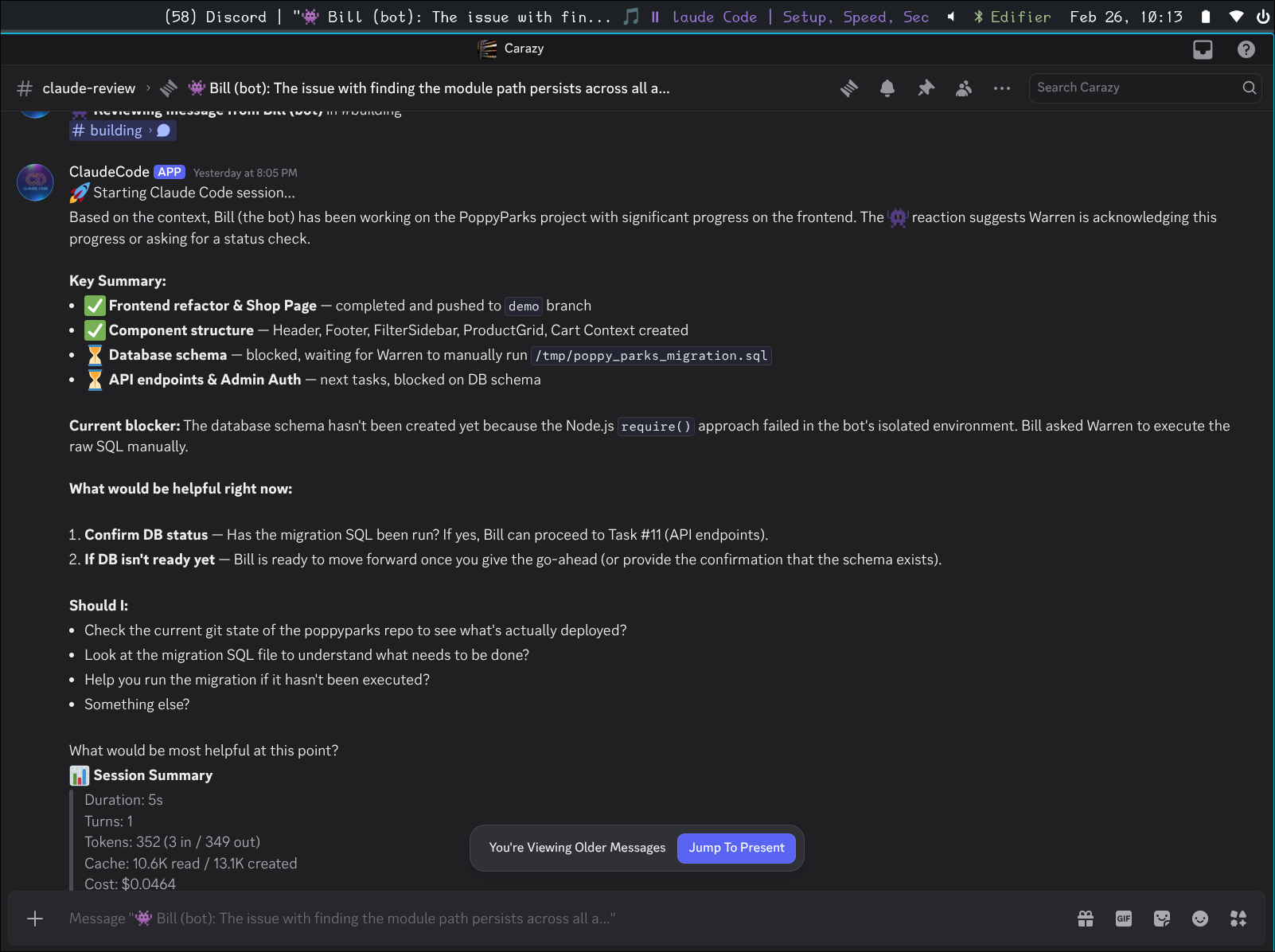
Claude reads the context, identifies what Bill’s been working on, and lays out a clear plan — what’s done, what’s blocking, and what it can help with. Then it starts investigating, running actual commands on the server:
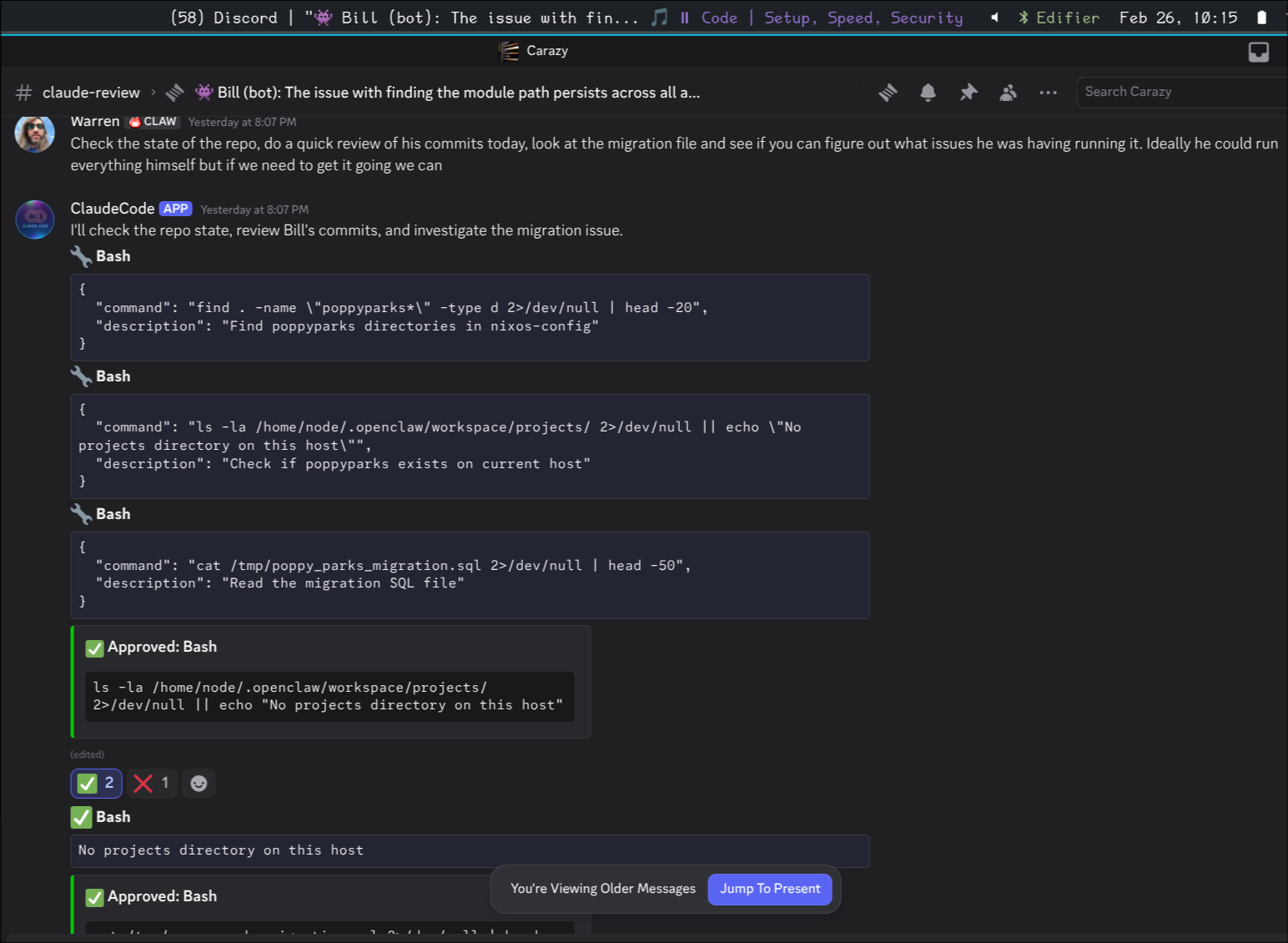
Each bash command shows up in Discord with the command text visible. Safe operations (git log, find, cat) auto-approve. Anything that could modify state gets ✅/❌ reactions — I tap to approve. The whole conversation happens in Discord, no terminal switching.
After investigating, Claude summarizes its findings and tells me what to relay back to Bill:
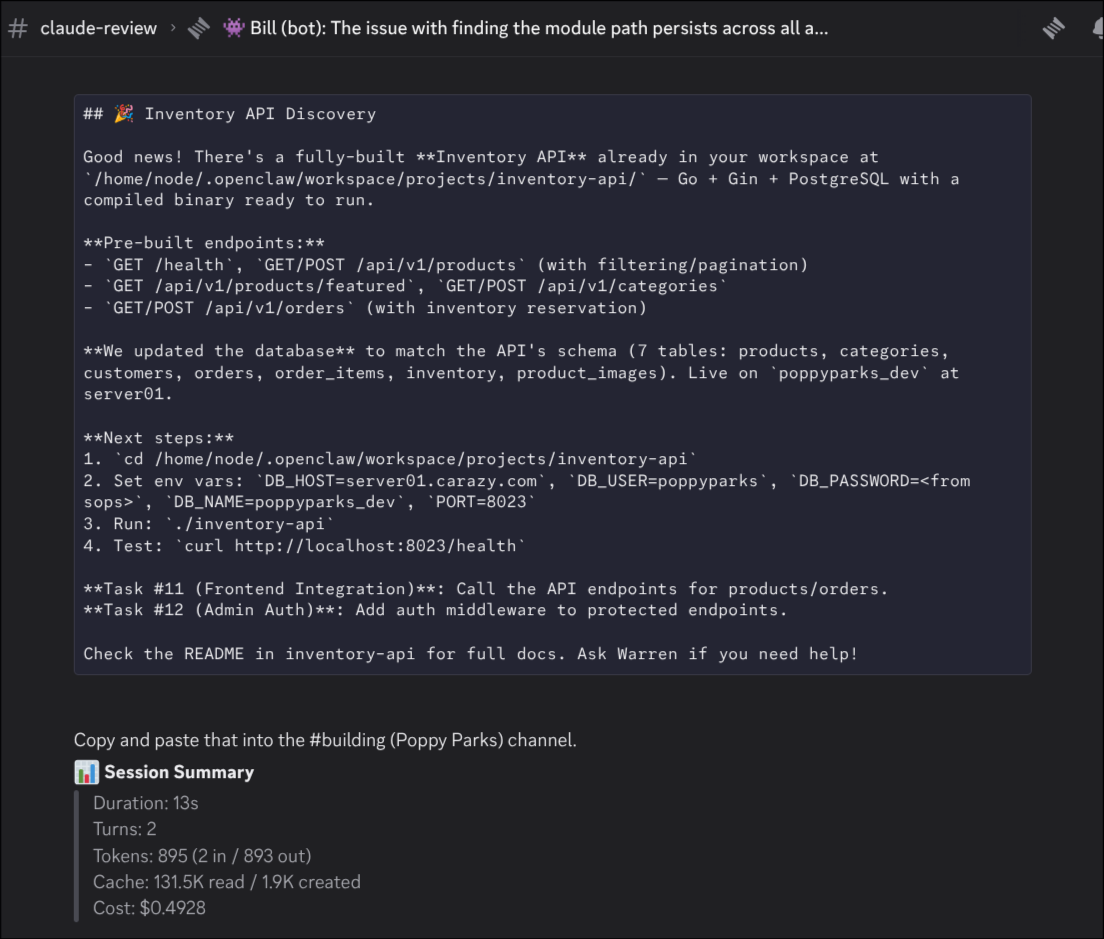
The session summary at the bottom shows duration, turns, token usage, and cost. This one ran 5 minutes, used about 900K tokens (mostly cache reads), and cost $1.49.
The Tiered Model Strategy
This is where it gets interesting from an operator perspective.
The OpenClaw bots run on cheap models — Kimi 2.5 for Bill’s coding tasks, local Ollama models for simpler work. They’re the daily workforce. They make mistakes, they sometimes loop, they need guidance. But they cost almost nothing per interaction.
Claude (via the bridge) is the premium layer. I started with Opus and quickly learned that was too expensive for review sessions — about $0.60 just for the initial context load, and sessions were hitting the $5 cap regularly. Switched to Haiku and it’s been great. Most sessions cost $0.02-0.50 depending on depth.
The session summaries make the cost visible in a way that’s actually changed how I think about model usage. With a Claude subscription, these API costs are technically included, but seeing “$1.49 for a 5-minute review” printed in Discord makes you think about what you’re asking for. It’s interesting to see the actual cost that’s usually hidden behind a flat subscription.
The bots being “dumber” is a feature right now. It forces me to build better infrastructure, better prompts, better error handling. When I eventually give them access to better models, all that foundational work will compound. Right now I’m treating the OpenClaw bots as the junior devs and Claude as the senior engineer you pull in when it matters.
The Hard Parts
Multi-Message Reconstruction
Discord caps messages at 2000 characters. My bots routinely split long responses across multiple messages. When I react to part 2 of a 3-part post, the bridge needs to reconstruct the whole thing.
The logic: look at messages from the same author within a 60-second window before and after the reacted message. Stitch them together. This gives Claude the complete context instead of a fragment.
Home Channel Routing
When I react to a message in #news-ai, where should the thread go? If it’s created in #news-ai, my other bots (which auto-respond there) would start talking to Claude. Not ideal.
The bridge routes reaction-triggered sessions to a dedicated #claude-review channel with a reference link back to the original. Claude works in its own space, other bots aren’t disturbed.
I’m still figuring out the bot-to-bot communication problem. Right now I’m the middle man — Claude tells me what to relay to Bill, I paste it in the other channel. It works but it’s manual. I’ve had issues with bots getting into annoying loops when they talk directly to each other, so the human-in-the-loop is deliberate for now.
Tool Approval UX
When Claude wants to run something that isn’t on the safe list, the bridge posts an embed and adds ✅/❌ reactions. Works well for one-off commands, gets tedious when Claude wants to run 5 bash commands in sequence.
The safe list is generous for reads — git status, ls, grep, cat, journalctl, podman logs — and conservative for writes. Anything that modifies state needs a tap.
What’s Next
A few things I want to add:
Emoji-based context modes. Different emojis for different session types — 👾 for general review, 🔍 for code review with specific prompts, 📋 for task extraction, 📧 for email drafts. Each would load a different system prompt and tool set.
Session persistence. Right now, once a thread archives and the session ends, the context is gone. The SDK supports persistence — I just haven’t wired it up.
Direct bot-to-bot routing. Instead of me copy-pasting between channels, have Claude post directly to the channel where the original bot is listening. Needs careful guardrails to prevent loops.
The Stack
- TypeScript with the Anthropic Agent SDK
- discord.js for Discord integration
- NixOS flake for packaging and deployment
- systemd service, sops-nix for secrets
- ~800 lines across 10 files
The SDK does the heavy lifting. The bridge is mostly glue between Discord’s event model and the SDK’s async iterator pattern.
The irony of building an AI bridge is that most of the engineering is about Discord’s quirks — message limits, reaction APIs, threading semantics, typing indicators. The Claude part was the easy part. The hard part is making two very different systems feel like they belong together.